Third parties
Customers, prospects and suppliers on the same record, with their contacts and everything you have exchanged with them.

We install Dolibarr 21 on a server of your own, with its database and its web server: quotes, invoices, customers, products and stock. You receive the address and your access details by email. MAD 390 excl. tax a month, whether you are 3 or 30.
In Dolibarr, every function is a module you turn on from the setup. You start with the essentials, and add the rest when the business calls for it.
Customers, prospects and suppliers on the same record, with their contacts and everything you have exchanged with them.
Commercial proposals as PDFs, sent by email, which become orders and then invoices.
Customer and supplier invoices, down payments, credit notes and payments, with what is left to collect in plain sight.
Products and services, several warehouses, stock movements and inventories.
The team's appointments and tasks, linked to customers and projects.
Your bank accounts and their reconciliations, and double-entry accounting that prepares your accountant's work.
The price of a server, not of a number of users: the whole team connects to it for the same price, excluding tax, IPv4 address included.
| Your team | Server | Per month (excl. tax) | Order |
|---|---|---|---|
| A small team | 2 CPU · 2 GB · 50 GB | MAD 390 | Order |
| A larger team | 2 CPU · 4 GB · 50 GB | MAD 420 | Order |
| More than 30 people, several servers or a particular need? Request a quote | |||
Paid yearly, 2 months are on us. The server can then be enlarged from its page, in Settings then Upgrade, with no reinstallation.
From the order to the access email, the real screens, with example data.
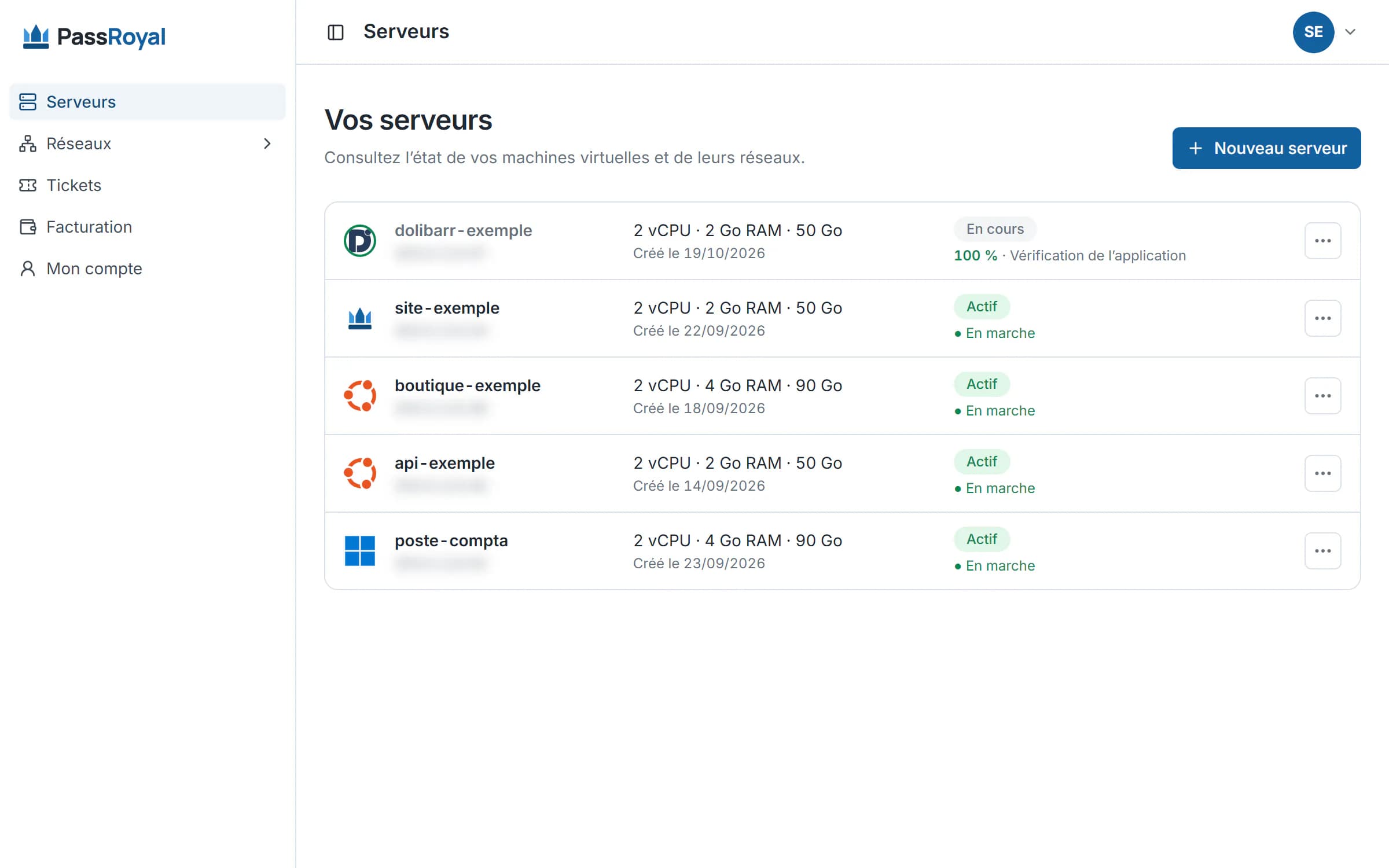
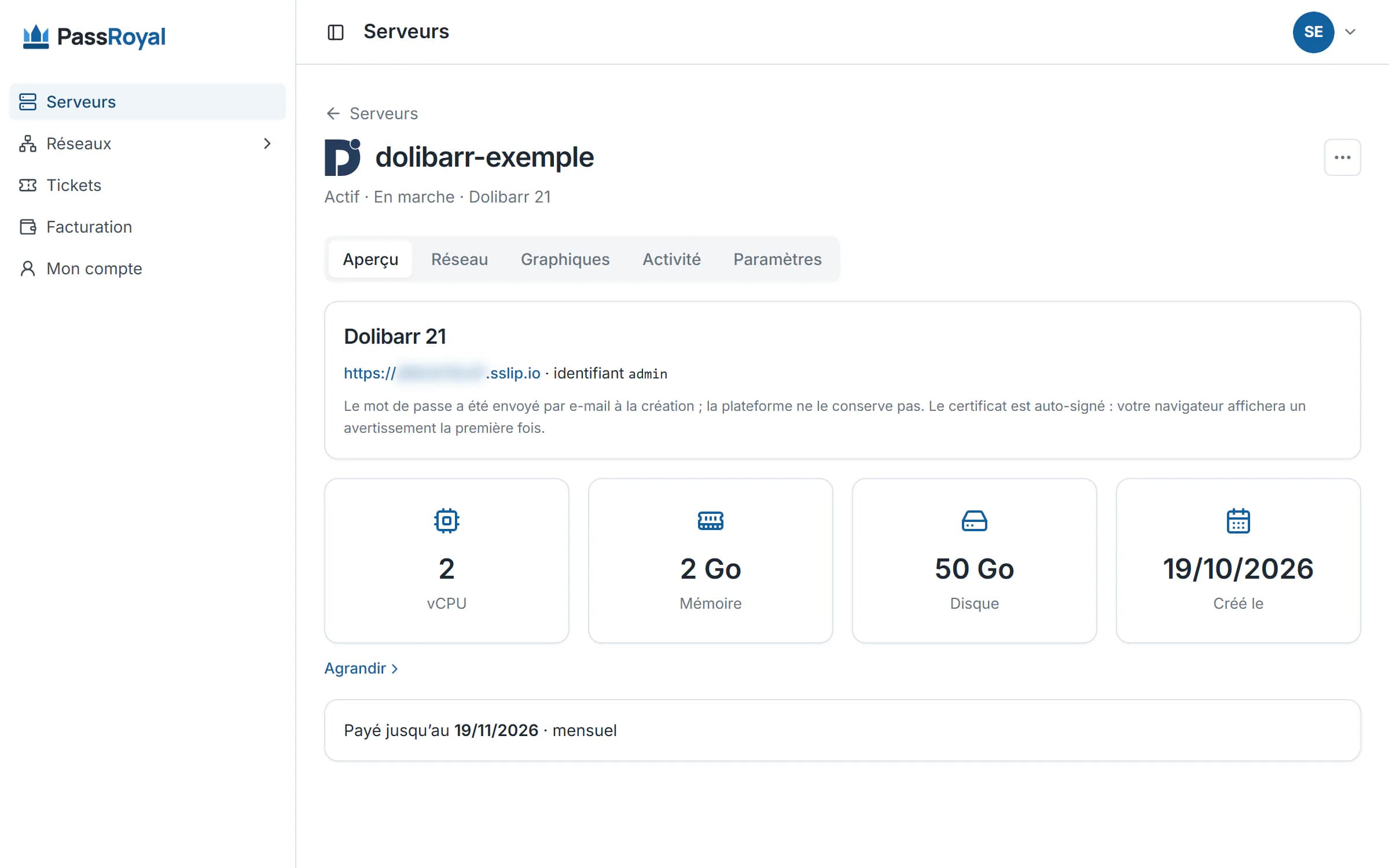
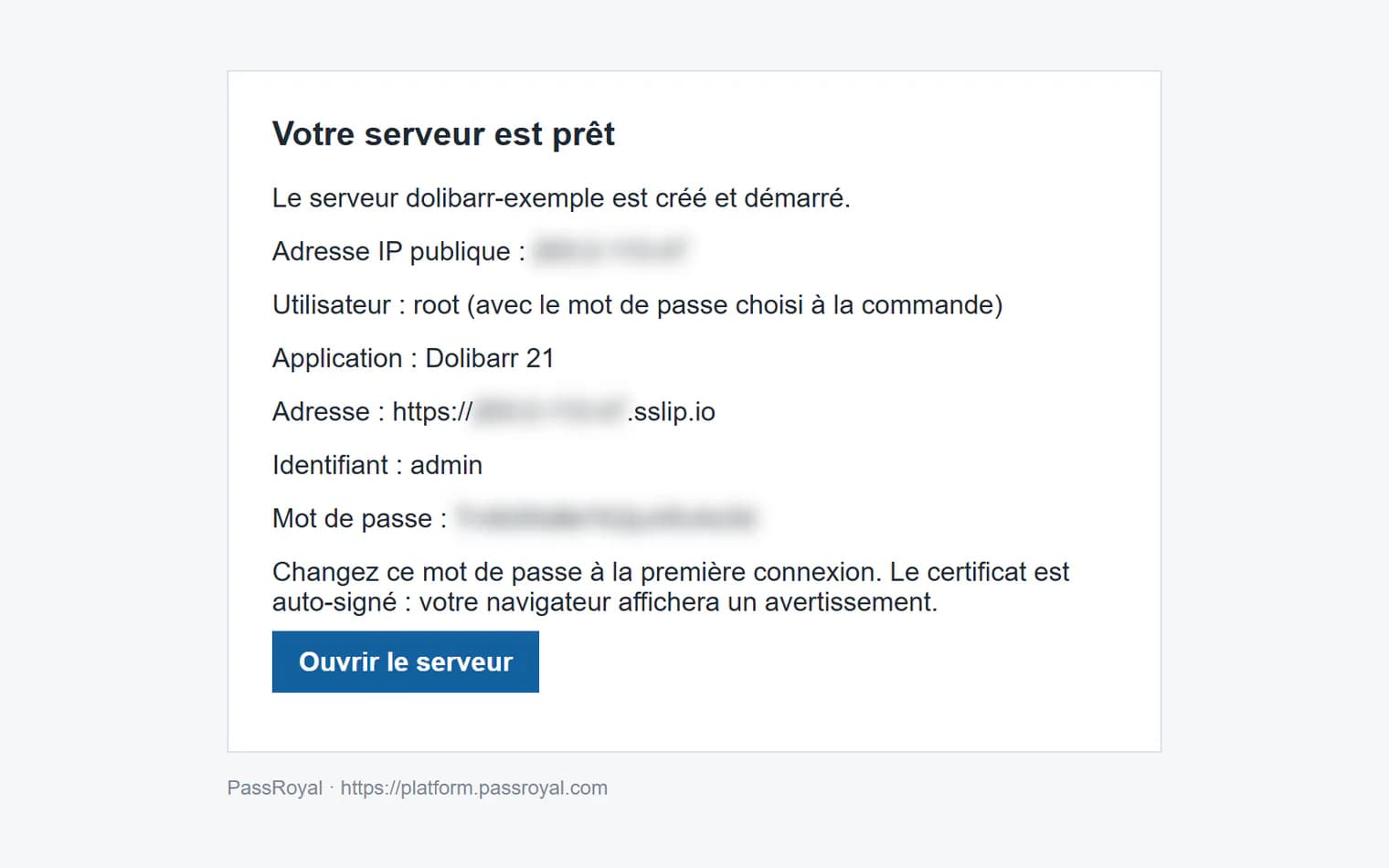
Dolibarr is set up module by module: the screen shows only what you use.
In the setup, one switch per function: quotes, stock, leave, point of sale… A small business keeps a simple screen, and adds to it as it grows.
Dolibarr's official marketplace offers extra modules, free or paid to their authors. They install from the interface, or with root access.
Dolibarr runs on PHP and a MariaDB database: 2 GB of memory is enough for a small team. It is the cheapest of the three to host.
Nothing to install on your side.
The button opens the order with Dolibarr and the right size already chosen. You check, then you pay by card.
Dolibarr, its database and its web server are already in the image. You follow each step live in your client area.
The email only goes out once we have checked Dolibarr's sign-in page ourselves. If it does not answer, we are the ones alerted, not you.
What we deliver, and what remains on your side.
A partner integrator can take care of the setup, the import and the training: say so in your quote request.
The software costs nothing: Dolibarr is open source. With us, you pay for the server, MAD 390 excl. tax a month for the whole team, IPv4 address included. Only some DoliStore modules are paid for, to their authors.
That is its strength: you can pick it up without lengthy training, and a team of a few people does its quotes and invoices in it quickly.
Yes: you fill in your company (name, address, logo, tax identifiers) in the setup, turn on the Commercial proposals and Invoices modules, and you are ready.
Yes: Dolibarr's Imports module reads CSV or Excel files. For a larger migration, a partner integrator can take care of it: say so in your quote request.
Yes: its interface adapts to a phone's screen, in the browser, with no app to install.
As many as you like: you pay for the server, not the accounts. With 2 CPU and 2 GB of memory, a small team works comfortably; for a larger team, we advise 2 CPU and 4 GB (MAD 420 excl. tax a month). Write to us if you are unsure.
Dolibarr 21, the complete open-source edition, with no licence to pay. Modules are turned on from within the app, and more can be added from DoliStore.
Yes, from your client area: open the server, then Settings > Upgrade. You only pay the difference until the end of the period already paid, and the server restarts once, for about two minutes, after you confirm. The size cannot be reduced afterwards: start at the advised size, and scale up when your team grows.
On your server, which belongs to you alone: nobody else has an account on it. You choose the region when you order.
Your data is yours. With root access, you export the Dolibarr database and your files whenever you like, at no cost.
By card, from your client area. The payment goes through a secure page, and the server starts as soon as the payment is confirmed. Prices exclude tax.
The two other ERPs we install, on the same principle: a server of your own, with no per-user fee.
CRM, sales, purchasing, stock and invoicing in a single open-source app, in English. Dozens of apps to turn on as you go.
See the Odoo offer →A complete open-source suite: purchasing, stock, manufacturing, projects and accounting, built around how an industrial business works.
See the ERPNext offer →Torn between the three? Compare them.
Dolibarr and the advised size are already chosen: all that is left is to pay.
A larger team, several servers or a demo? Request a quote.