Accounting
Chart of accounts, journal entries, customer and supplier invoices, payments and financial statements, within the app itself.

We install ERPNext 15 on a server of your own, with the Frappe framework, its database and its web server. You receive the address and your access details by email. MAD 420 excl. tax a month, whether you are 3 or 30.
ERPNext covers the whole chain of a business that buys, stores, makes and sells, with accounting that follows every movement.
Chart of accounts, journal entries, customer and supplier invoices, payments and financial statements, within the app itself.
Material requests, requests for quotation, purchase orders and receipts, with every supplier followed up.
Leads, opportunities, quotations, sales orders and deliveries, linked to the stock available.
Several warehouses, batches and serial numbers, stock valuation and automatic reordering.
Bills of materials, work orders, workstations and production planning.
Tasks, timesheets and costs per project, which you can bill to the customer.
The price of a server, not of a number of users: the whole team connects to it for the same price, excluding tax, IPv4 address included.
| Your team | Server | Per month (excl. tax) | Order |
|---|---|---|---|
| Up to about fifteen active people | 2 CPU · 4 GB · 50 GB | MAD 420 | Order |
| Beyond that, or with manufacturing | 3 CPU · 6 GB · 90 GB | MAD 580 | Order |
| More than 30 people, several servers or a particular need? Request a quote | |||
Paid yearly, 2 months are on us. The server can then be enlarged from its page, in Settings then Upgrade, with no reinstallation.
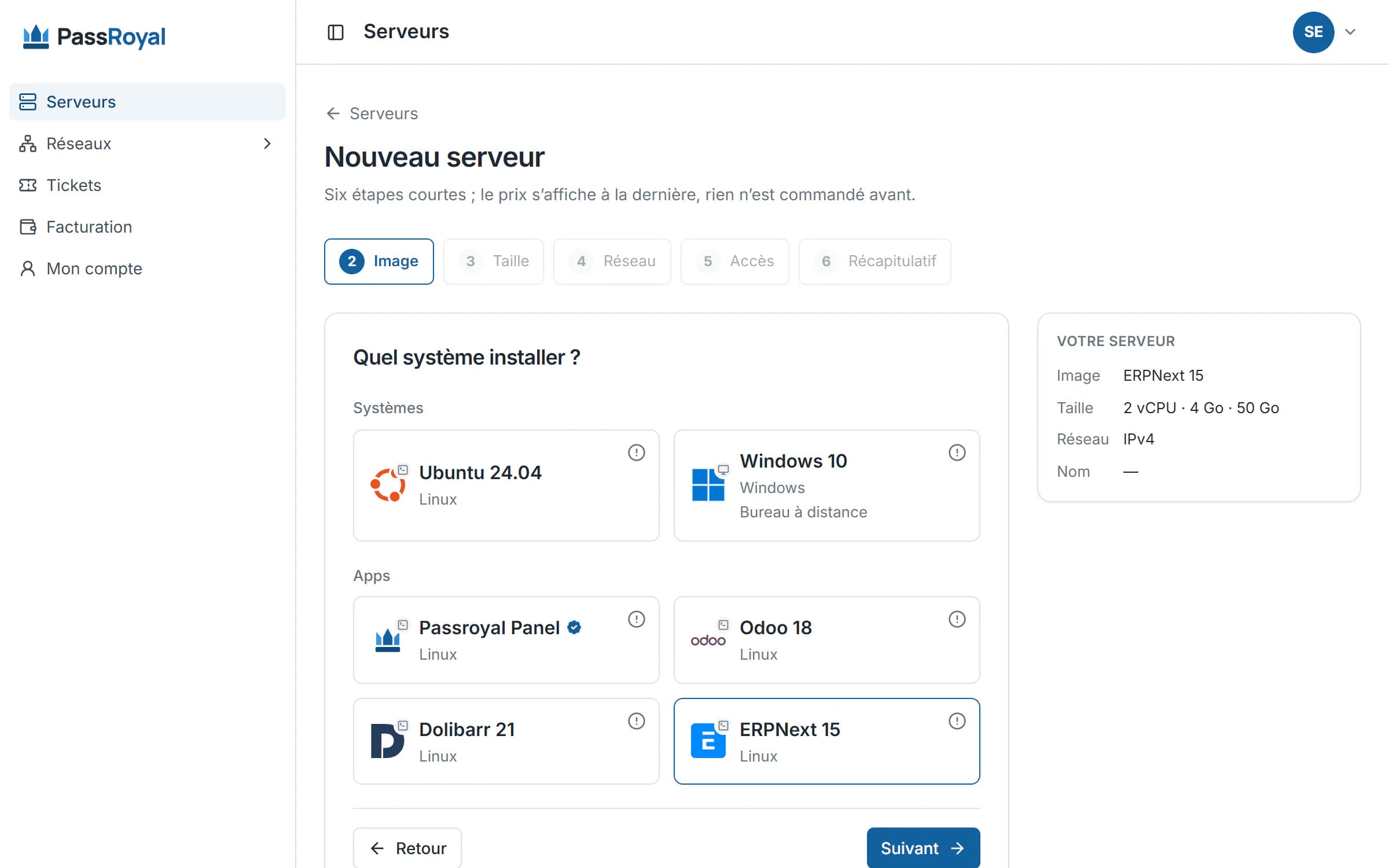
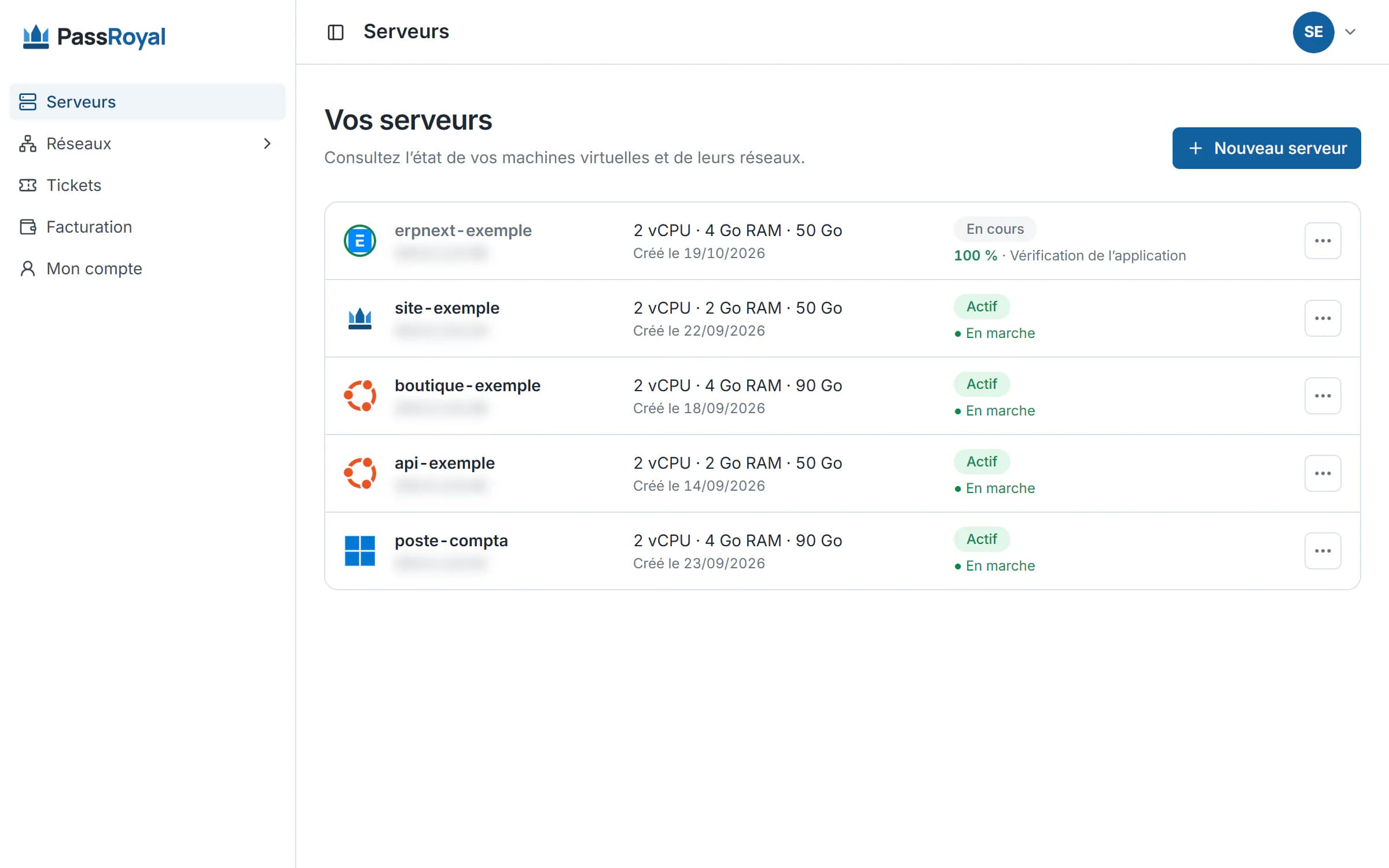
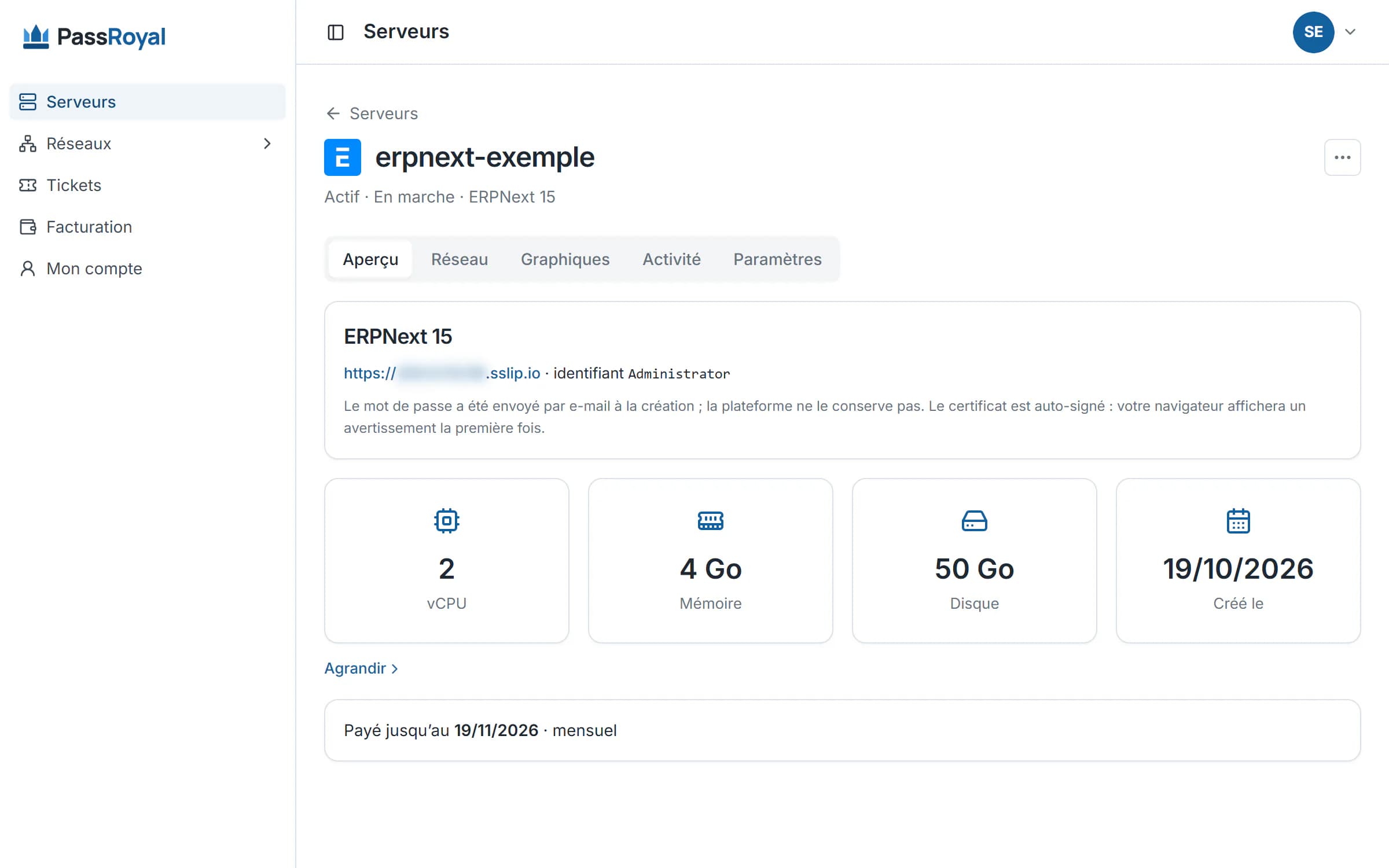
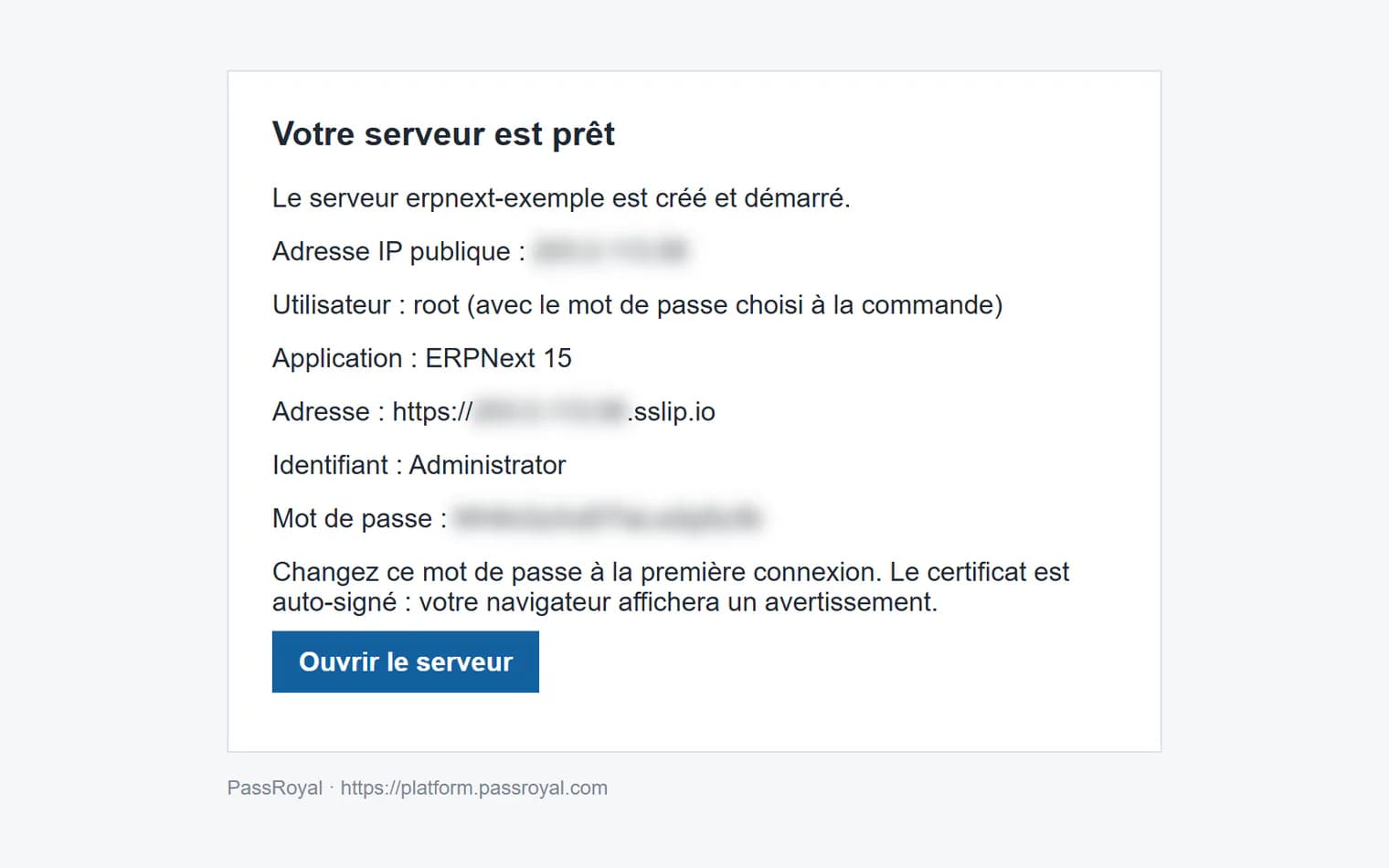
From the order to the access email, the real screens, with example data.
What ERPNext does better than the other two, and what our installation does not include.
Multi-level bills of materials, work orders, material consumption: ERPNext follows what a business makes, from raw material to finished product.
ERPNext runs on the Frappe framework: a web server, background jobs, Redis and MariaDB all work at the same time. Below 4 GB of memory, they get in each other's way: so we advise 4 GB at the least.
Since version 14, human resources and payroll have been a separate app, Frappe HR, which our installation does not include. With root access, you or your integrator add it to the same server.
Nothing to install on your side.
The button opens the order with ERPNext and the right size already chosen. You check, then you pay by card.
ERPNext, its database and its web server are already in the image. You follow each step live in your client area.
The email only goes out once we have checked ERPNext's sign-in page ourselves. If it does not answer, we are the ones alerted, not you.
What we deliver, and what remains on your side.
A partner integrator can take care of the setup, the import and the training: say so in your quote request.
Not in the installation we deliver: they form the Frappe HR app, separate from ERPNext since version 14. It can be added to the same server with root access; a partner integrator can take care of it.
Yes: bills of materials, work orders, workstations, planning and quality control are all part of ERPNext.
The software is open source, with no licence. You pay for the server, MAD 420 excl. tax a month for the whole team, IPv4 address included.
Yes: the Frappe and ERPNext interface is translated into many languages, English, French and Arabic among them, and each user picks their own in their settings.
Yes: with root access, the bench command installs other apps of the Frappe framework on the same server. Check that they are made for version 15.
As many as you like: you pay for the server, not the accounts. 4 GB of memory is the advised minimum for ERPNext; with 2 CPU, a team of about fifteen active people works comfortably; beyond that, or with manufacturing, we advise 3 CPU and 6 GB (MAD 580 excl. tax a month). Write to us if you are unsure.
ERPNext 15 on the Frappe framework, the complete open-source edition, with no licence to pay.
Yes, from your client area: open the server, then Settings > Upgrade. You only pay the difference until the end of the period already paid, and the server restarts once, for about two minutes, after you confirm. The size cannot be reduced afterwards: start at the advised size, and scale up when your team grows.
On your server, which belongs to you alone: nobody else has an account on it. You choose the region when you order.
Your data is yours. With root access, you export the ERPNext database and your files whenever you like, at no cost.
By card, from your client area. The payment goes through a secure page, and the server starts as soon as the payment is confirmed. Prices exclude tax.
The two other ERPs we install, on the same principle: a server of your own, with no per-user fee.
CRM, sales, purchasing, stock and invoicing in a single open-source app, in English. Dozens of apps to turn on as you go.
See the Odoo offer →A light ERP and CRM, easy to pick up: quotes, invoices, customers, products and stock, without lengthy training.
See the Dolibarr offer →Torn between the three? Compare them.
ERPNext and the advised size are already chosen: all that is left is to pay.
A larger team, several servers or a demo? Request a quote.