Passroyal Panel, the hosting panel for your websites

Websites, certificates, databases, files and backups are managed from the browser. Choose it when you order: your server arrives with the panel installed, and it belongs to you.

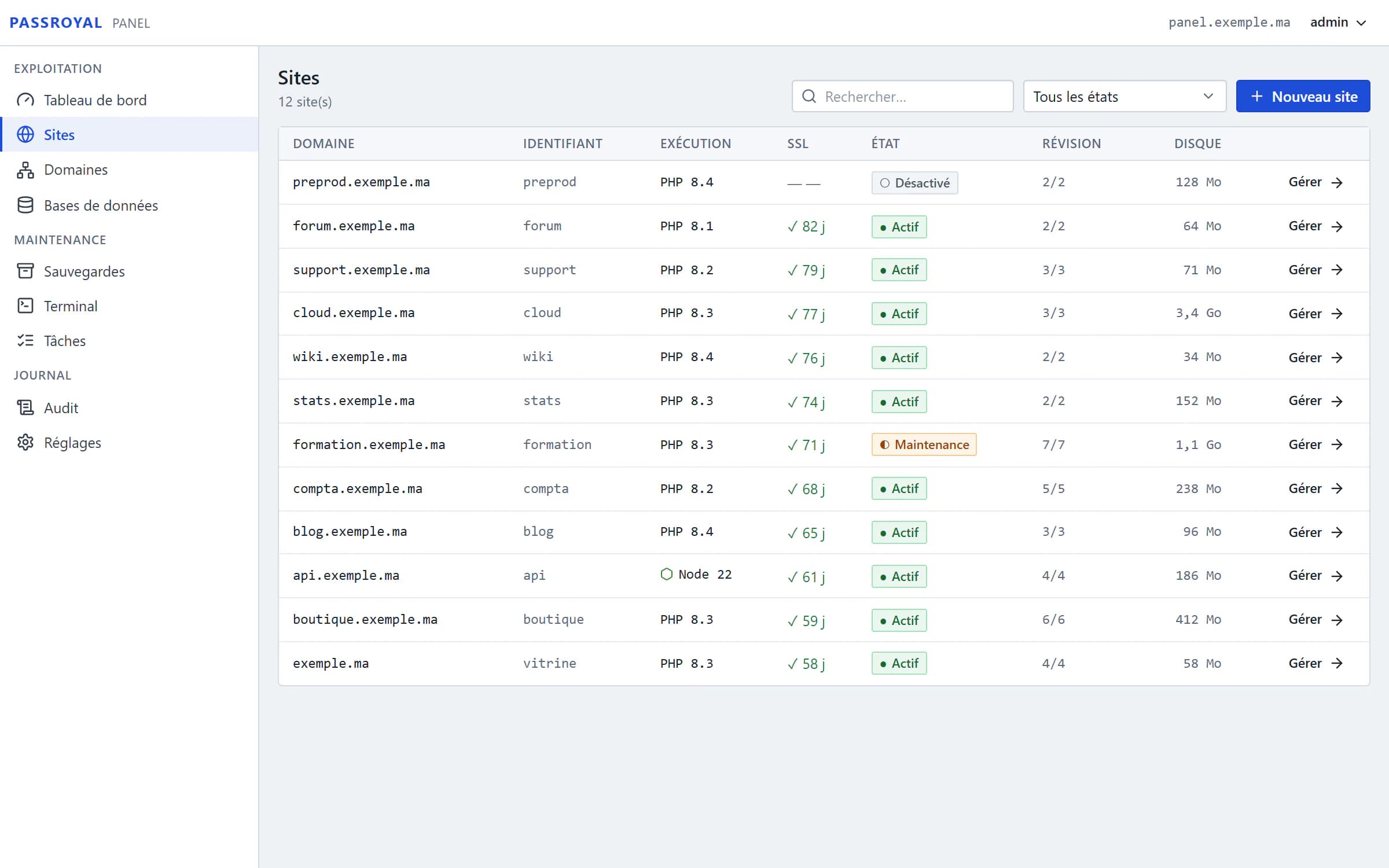
Passroyal Panel, the list of websites: twelve example websites with their PHP or Node.js version, their SSL certificate, their status and their disk space.
  • Included at no extra costWhatever the server's size, with no licence.
  • Installed when you orderYour login details arrive by email.
  • Two-factor authenticationRequired for the owner account.

The panel, screen by screen

Screenshots of the real interface, with example websites: this is the panel you will have on your server.

Each website, its own PHP version

One domain, one folder and one system user per website, with the PHP version of your choice, from 8.1 to 8.4. Switching versions drops no request.

  • Node.js 20, 22 or 24 for your applications, each in its own container
  • Live, in maintenance with your own page, suspended or disabled: one click is enough
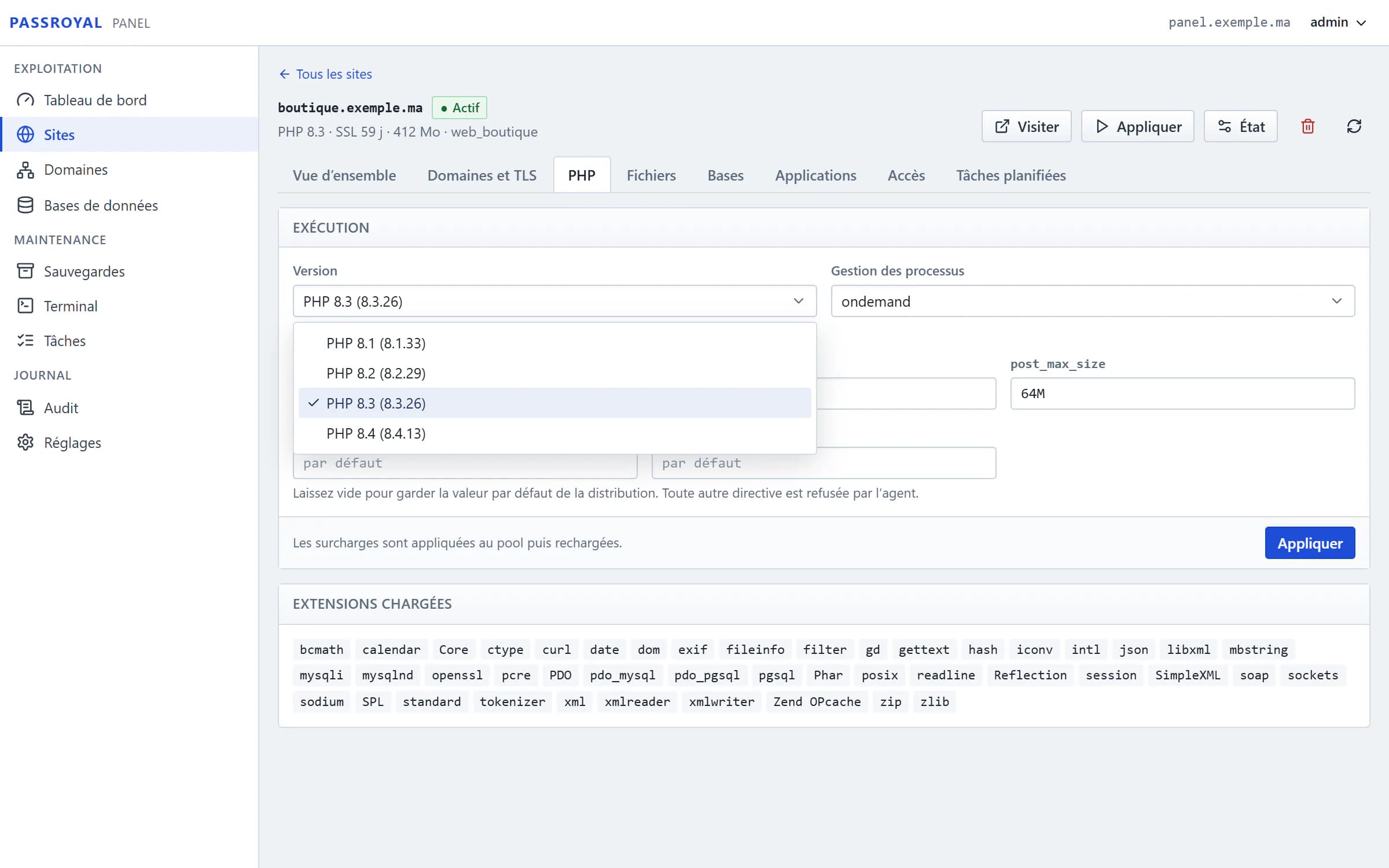
A website's page in Passroyal Panel, PHP tab: the list of versions open, from PHP 8.1 to PHP 8.4, above the loaded extensions.

Your files and databases, without an FTP client

Browse, edit, upload, compress and set permissions from the browser. Each website has its MariaDB databases and their users, with export.

  • phpMyAdmin opens already signed in, without the password going through the address
  • SFTP and SSH accounts limited to their website's folder
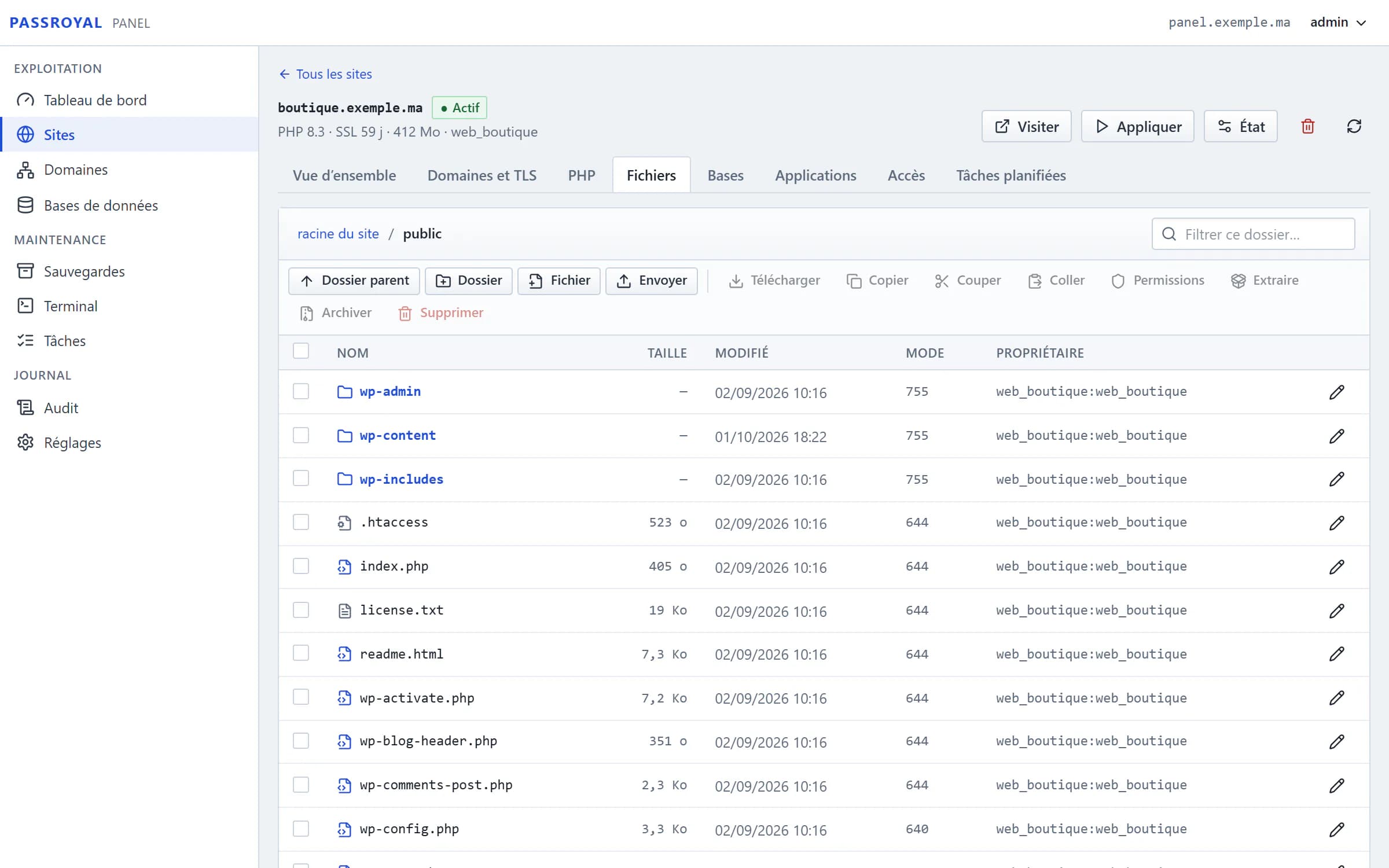
The Passroyal Panel file manager, in a WordPress website's public folder: the size, date, permissions and owner of each file.
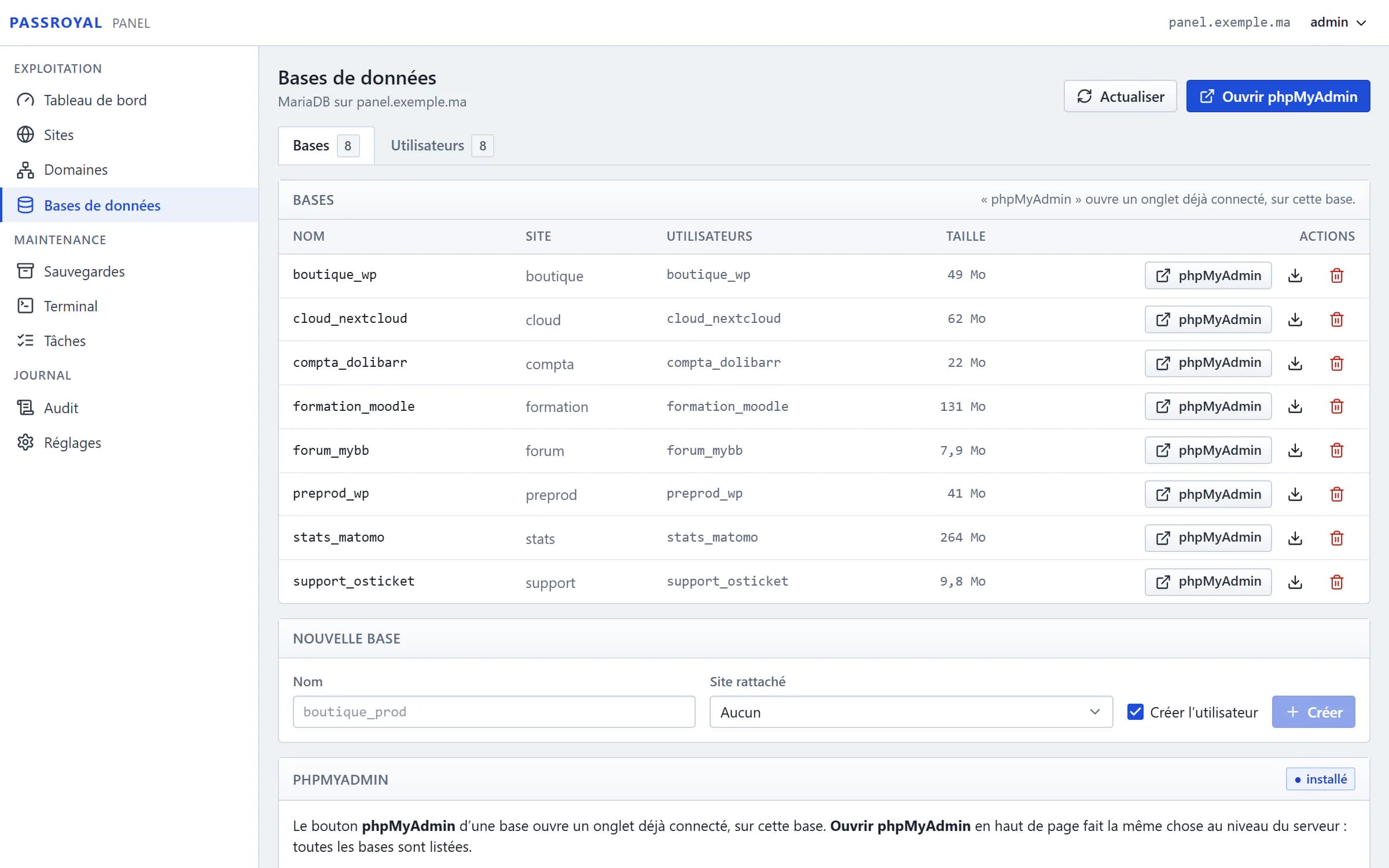
Databases in Passroyal Panel: each MariaDB database with its website, its user, its size and a phpMyAdmin button.

Certificates and backups that look after themselves

Let’s Encrypt certificates are free and renewed automatically, after a check that your domain really points to the server. Backups run at the scheduled time.

  • On the server itself, on S3 storage or on an SFTP server
  • With retention and restore
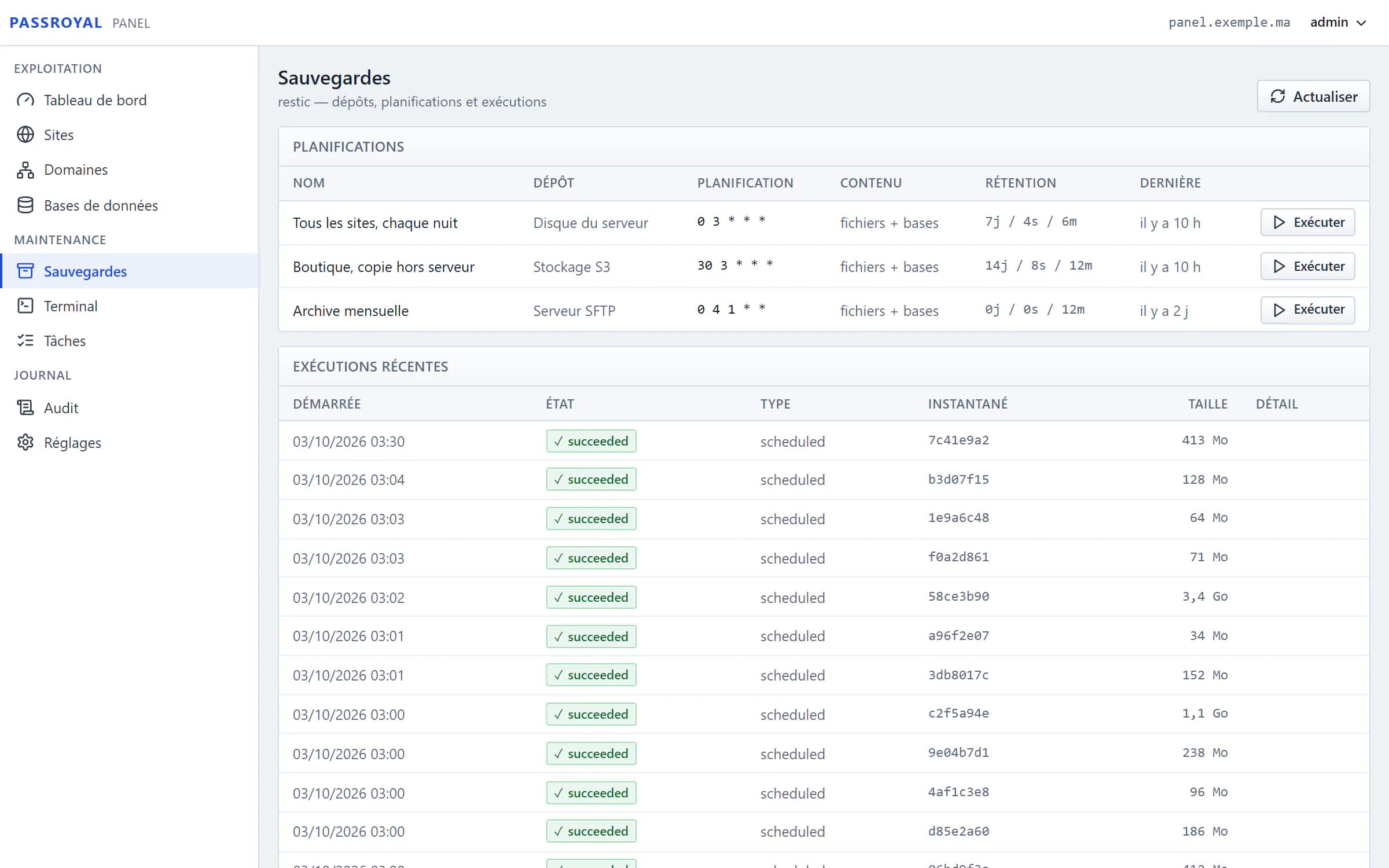
Backups in Passroyal Panel: three schedules, to the server, to S3 storage and to an SFTP server, then the night's runs, all successful.
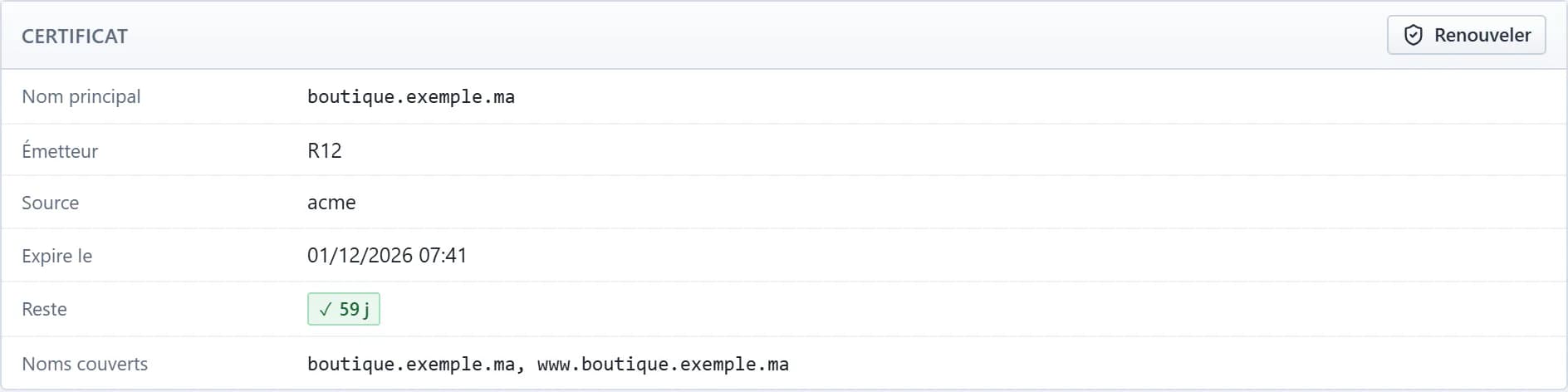
A website's Let’s Encrypt certificate in Passroyal Panel: the names covered, the expiry date and the days left.

An application, installed with its website

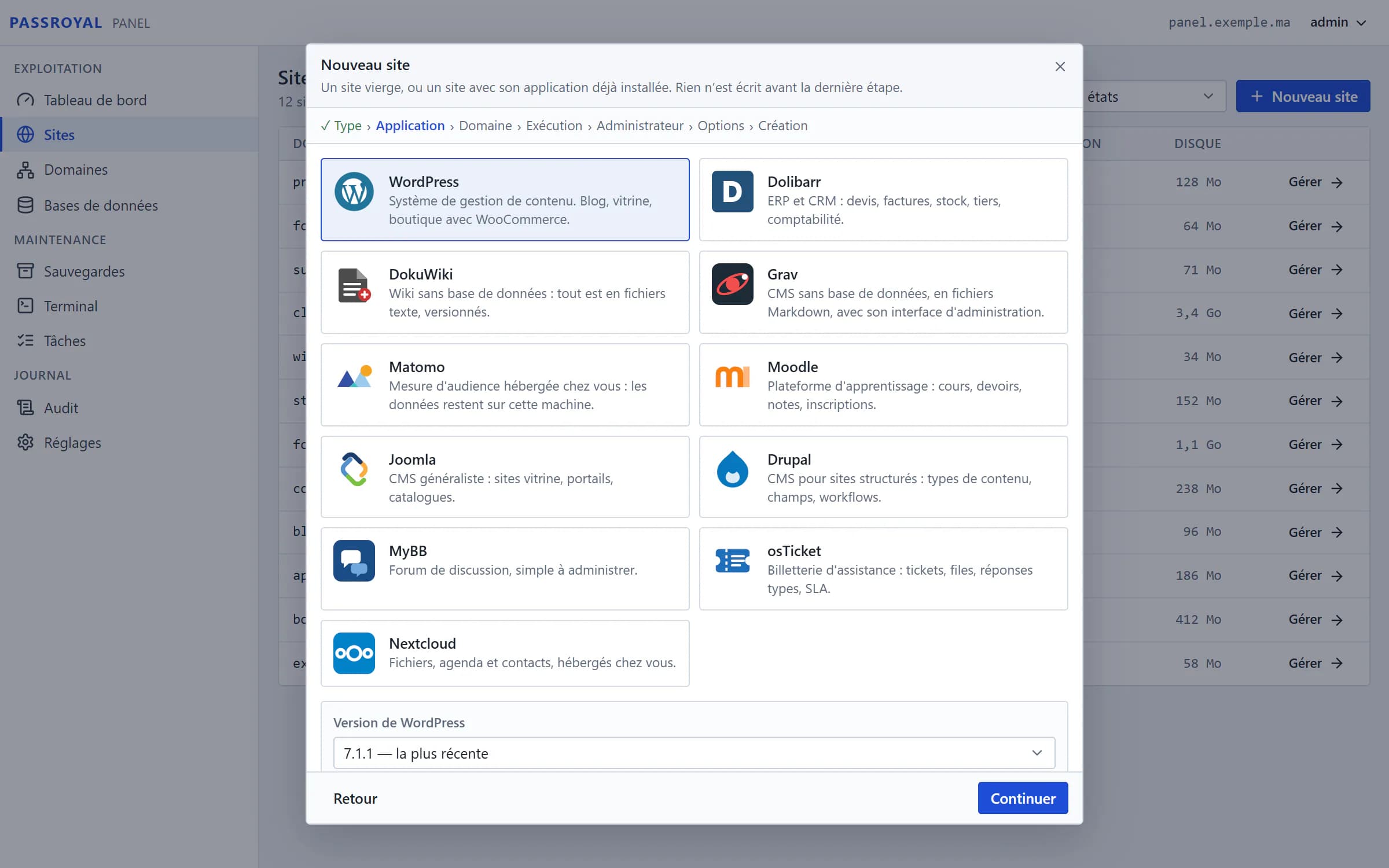
Choose WordPress, Dolibarr, Moodle or Nextcloud when you create the website: the panel creates the database, installs the files and gives you the admin address.

  • Every archive is checked against its fingerprint before it is installed
  • Earlier versions are still offered, checked the same way
The Passroyal Panel website creation wizard: the catalogue's eleven applications, WordPress selected, with its version and its sha256 fingerprint.

Everything the panel does

What usually takes the command line takes a few clicks here. And for the rest, there is the terminal.

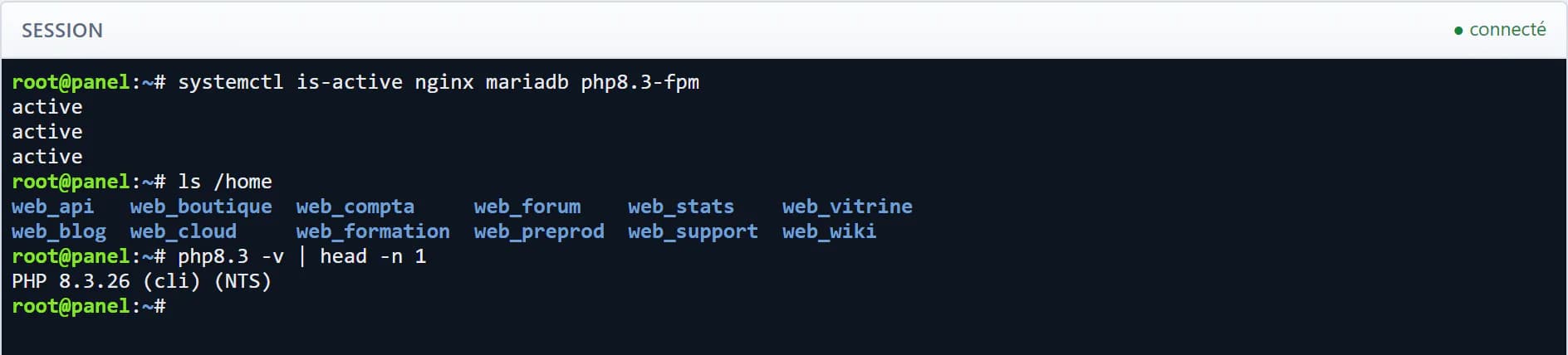
The Passroyal Panel web terminal: a root session open in the browser.
Web terminal. Root included, in the browser, for what the interface does not do. Every session is recorded.
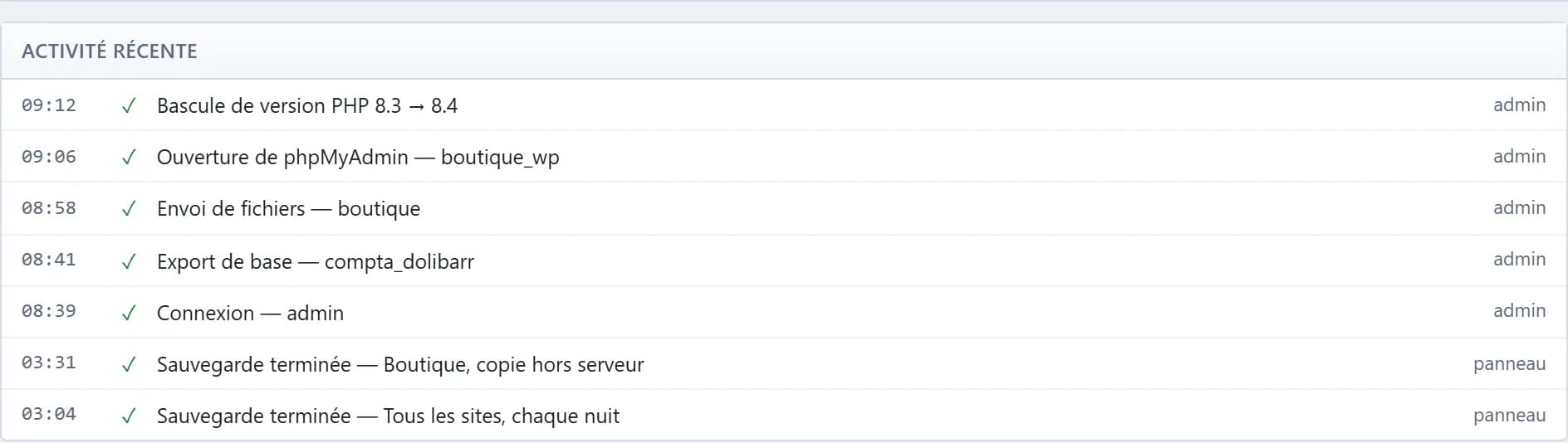
Recent activity in the Passroyal Panel audit log: each operation with its time and its author.
Audit log. Every operation is logged, with who did it, when, and the address it came from.
  • WebsitesOne domain, one folder and one system user per website.
  • PHP of your choiceFrom 8.1 to 8.4 per website; switching versions drops no request.
  • Node.js applicationsNode.js 20, 22 or 24, each application in its own container.
  • SSL certificatesLet’s Encrypt, free, renewed automatically, DNS checked first.
  • File managerEdit, upload, compress, extract, set permissions.
  • DatabasesMariaDB per website, with export and phpMyAdmin already signed in.
  • SFTP and SSH accessAccounts limited to their website, by password or by key.
  • Scheduled tasksEach website's recurring tasks, run without a shell.
  • BackupsScheduled, with retention and restore: server, S3 or SFTP.
  • One-click maintenanceLive, in maintenance with your own page, suspended or disabled.
  • Web terminalIn the browser, root included, every session recorded.
  • Audit logEvery operation, with who did it, when and from where.

Eleven applications, installed in one click

Choose the application and the website that hosts it: the panel creates the database, installs the files and gives you the admin address.

  • WordPressWebsite and shopBlog, showcase website or shop with WooCommerce.
  • DolibarrManagementERP and CRM: quotes, invoices, stock, third parties, accounting.
  • DokuWikiWikiA wiki with no database: everything is in versioned text files.
  • GravWebsiteA CMS with no database, in Markdown files, with its own admin.
  • MatomoAnalyticsAudience measurement hosted by you: the data stays on your server.
  • MoodleTrainingLearning platform: courses, assignments, grades, enrolments.
  • JoomlaWebsiteGeneral-purpose CMS: showcase websites, portals, catalogues.
  • DrupalWebsiteCMS for structured websites: content types, fields, workflows.
  • MyBBForumA discussion forum, simple to run.
  • osTicketHelpdeskSupport ticketing: tickets, queues, canned replies, deadlines.
  • NextcloudFilesFiles, calendar and contacts, hosted by you.

Every version offered was first installed on a real website, then removed. Its archive is checked against its fingerprint before it is installed on your server.

Questions about Passroyal Panel

Does Passroyal Panel cost extra?

No. It is included: you pay for the server, at the price of any machine of the same size. No licence, no fee per website.

How do I get it?

When you create your server: choose Passroyal Panel among the Apps of the wizard, then the size of the machine. On first boot, the panel sets itself up, and your login details arrive by email as soon as it responds.

How many websites can I host?

The panel sets no limit: the size of the server decides. A few showcase websites fit in 2 GB of memory; a shop or several busy websites need more.

Can I use my own domain names?

Yes. Point the domain to the server’s public IP address at your registrar, then create the website in the panel: it checks that the domain really reaches the machine before requesting the SSL certificate.

Who has access to my panel?

You. The administrator account is created on your server’s first boot, with a password of its own, and two-factor authentication is required before any other action. You also keep root access to the machine.

Does the panel handle email?

No. It does not host mailboxes. For your addresses, use a dedicated email service: your websites can send their emails through it.

Can I install something else on the server?

Yes, the machine is yours. Just avoid editing by hand the files the panel generates, such as the websites’ configuration: it spots the ones that have changed, but it must remain the reference.

All the questions

Ready to launch your websites?

Choose Passroyal Panel among the Apps when you create your server: it is included, whatever the size.